

Thirty menu items. Your front desk needs six.
GoHighLevel menu customization means renaming, re-ordering and hiding items so each person sees only what they use, then choosing where the menu lives: sidebar, top bar, mega menus or a floating quick menu. You build it in the live editor around how your spa actually runs.
Stock name Your spa’s word
ConversationsMessagesCalendarsBookingsContactsClientsOpportunitiesConsultsPaymentsPackages and paymentsReputationReviews
Where should the menu live?
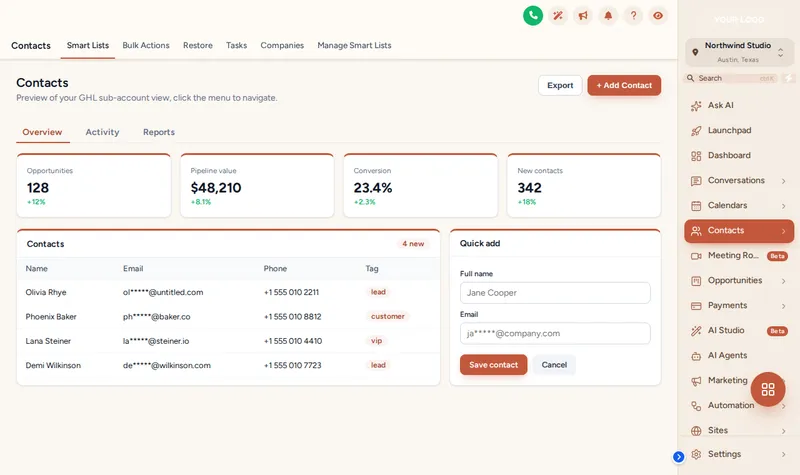
Left-handed reception iPads, wide desktop monitors, a manager who only checks reports: the right layout depends on who sits at the screen. These are the options in the editor.
Left sidebar or right dock
The familiar layout, in your colors, or mirrored to the right.
Top bar, 8 styles
Solid, Floating, Glass, Brand gradient, Underline, Segmented, Centered, Slim.
Mega menus, 8 styles
Columns, Split, Cascade, Tiles, Tabs, Icon rail, Accordion, Wide.
Header styles, 8
From GoHighLevel’s default to soft tint, gradient, glass and accent line.
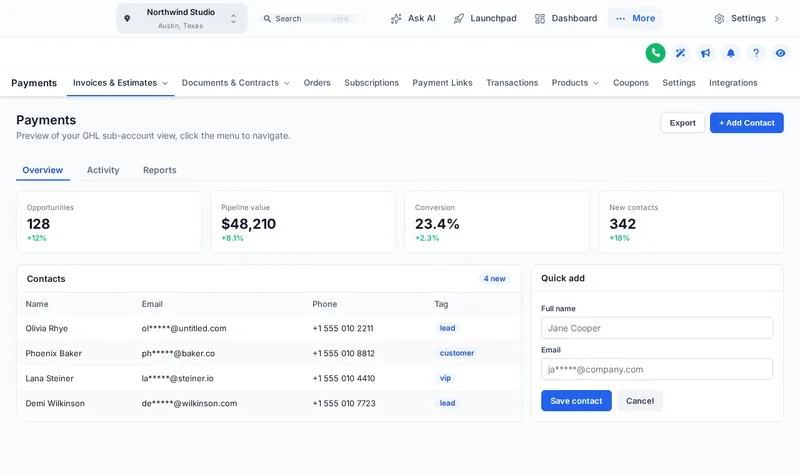
Try a GoHighLevel menu layout
Pick a layout, then hover or click inside the frame. Choose a mega style and hover Sites to see it open.
From cluttered to calm in four moves
Map how your team works
Note who uses the account (front desk, providers, managers, your agency) and which pages each one opens every day.
Rename, reorder and hide
In the editor, give menu items your words and icons, move the daily pages to the top and hide anything unused from that view.
Choose the layout
Left sidebar, right dock, a top bar in one of 8 styles or a merged header, plus sub-menus or one of 8 mega menu styles.
Add shortcuts and publish
Add links to your booking page, help center or training and a floating quick menu, preview it, then save; once the one-line loader is in GoHighLevel, changes go live instantly.
Mega menus start in Radiance
Sidebar or top-bar layout is in every account. Radiance adds mega menus, the floating quick menu, the dashboard and pipeline designers and the contact actions bar for $447.
GoHighLevel menu customization FAQs
Yes. Every menu item can be renamed, re-ordered, given a new icon or hidden, and you can add your own links. You set it up in the editor for the agency view and the sub-account view separately.
Yes. The menu can stay on the left, dock on the right, or become a top bar in 8 styles from solid to glass and slim. A merged header saves a whole row of space.
A larger panel that opens when someone hovers or taps a section such as Payments or Sites, showing its sub-pages at once. There are 8 styles, including columns, tiles, tabs and an icon rail.
Hiding removes it from the menu only. To stop someone reaching a page, pair it with GoHighLevel’s own user permissions.
A small button, dock or side rail that floats over every page with the shortcuts your team uses most. It comes in 8 designs and people can drag it where they like.
Yes. The agency view and the sub-account view each have their own list of items and settings.
Every package includes the sidebar or top-bar layout with your logo and colors. Mega menus and the floating quick menu start in Radiance and are also in Signature Suite; they are not part of Glow.
Items are matched to GoHighLevel’s own menu entries, so new GoHighLevel pages appear in their default position until you place them. If something moves after an update, adjust it in the editor and it goes live instantly; support can help if you get stuck.
Finish the working day
- Themes, UI kits and dark mode27 themes, 11 UI kits, color remap and dark mode for GoHighLevel.From Glow$197
- Dashboard designs18 sub-account dashboard designs with a welcome banner, clock and quick links.From Radiance$447
- Contact actions barA contact actions bar with quick tags, workflow buttons and field forms, in 6 positions.From Radiance$447
A menu built around your front desk
A Radiance account unlocks mega menus and the floating quick menu alongside the dashboard, pipeline and contact actions designers. One-time, lifetime access, login emailed within minutes.
One-time payment, lifetime access · no monthly fee · login emailed within minutes (max 24 hours)
GoHighLevel and HighLevel are trademarks of HighLevel, Inc. Beauty and Spa GHL Snapshot is an independent team and is not affiliated with or endorsed by HighLevel. Each package is an account on the GHL Customer Care customizer, a separate product that you set up yourself and that runs through GoHighLevel’s own White Label custom CSS and JS settings. Previews on this page are samples; no client data is shown or collected.